Wholesale & Trade /
Assortment Width vs. Depth for Art Prints
Compare assortment width and stock depth with a twelve-unit example. Use display gaps, selling evidence and storage to plan your next art-print order.
Shop Rock Paper Scissors on Faire
Article guide
Add more designs when the display has an unanswered customer need. Add more units when a design has earned its place and is likely to run out before you can replenish it. The difficult part is recognizing which problem you have. A crowded rack can still lack a useful choice; a beautiful, tightly edited display can still lose sales when its best option is unavailable.
This guide uses width to mean the number of different designs in your art-print edit and stock depth to mean units held per design. Sizes and other variants need their own rows. Retail terminology can vary: Shopify’s assortment-planning overview also considers product variety and variations. Define the unit you are counting before comparing two buying plans.
Same stock count, different experiment
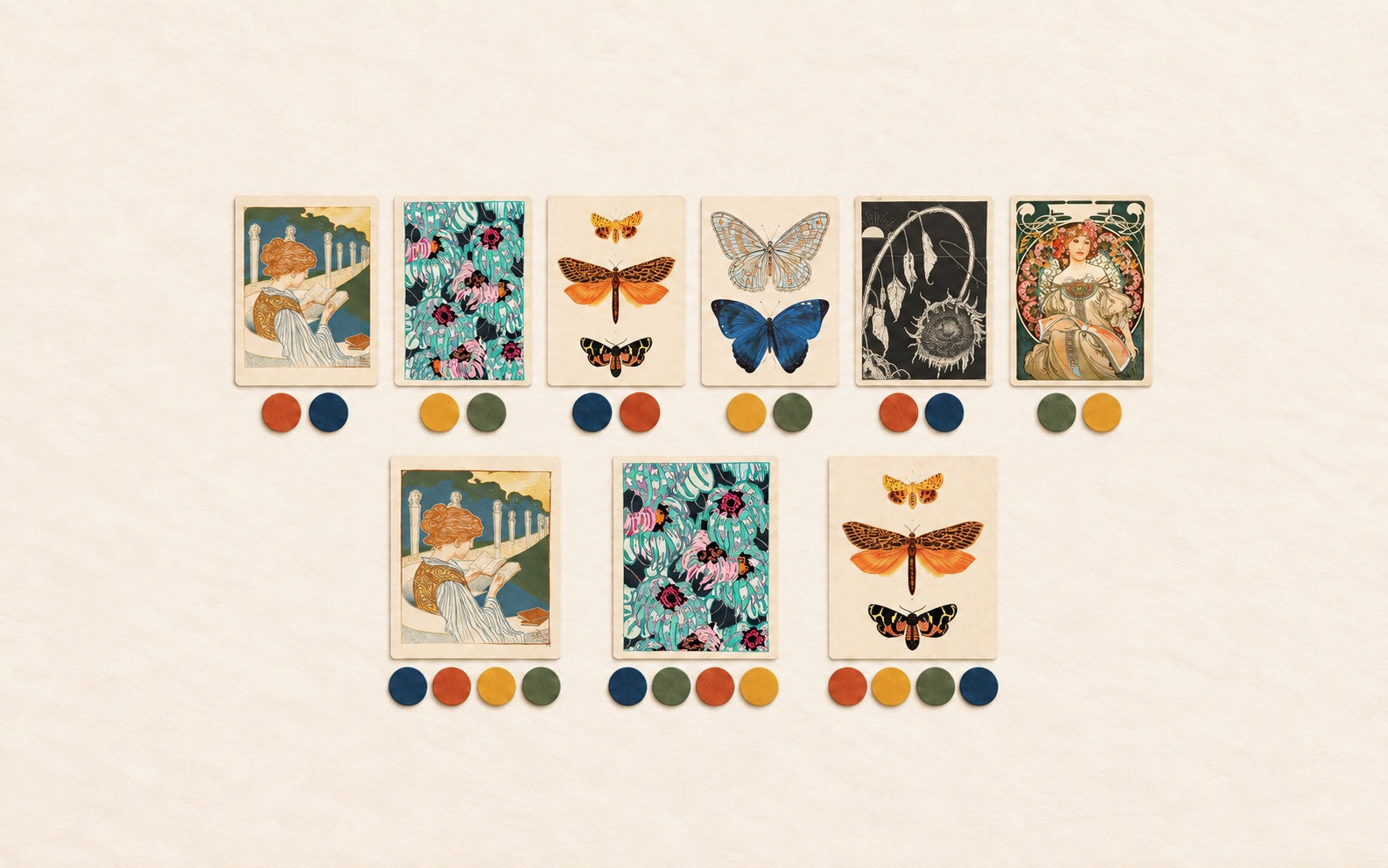
Imagine a small store testing twelve prints. In this example only, every print has the same cost, every design can be ordered individually, and there are no case or order-minimum constraints. These are planning assumptions, not Rock Paper Scissors buying terms.
| Plan | Designs | Units per design | Total units | What you learn |
|---|---|---|---|---|
| Wider test | 6 | 2 | 12 | Which of six distinct ideas shoppers respond to |
| Deeper edit | 3 | 4 | 12 | Whether three established ideas can keep selling without a quick stockout |
Neither plan is automatically safer. The wider test needs six visible, understandable positions. The deeper edit gives fewer designs more chances to sell, but commits more units to each choice. Equal unit counts also stop meaning equal cost when prices or formats differ.
When another design earns a place
Write down the gap before choosing the print. Perhaps a landscape-oriented fixture is full of portrait pieces; a literary display lacks a clear reading subject; or every option uses the same dark palette. “It is different” is weaker than “it fills this specific position for this customer.”
For an illustrative literary edit, Girl Reading by Walter Tiemann offers an immediately legible subject. A graphic-color position asks a different question, illustrated by Édouard Bénédictus’s Art Deco pattern. Those are examples of different visual roles, not evidence that either will sell in your store. Check the current format and package before assigning a position.
If two candidates answer the same need, decide which one deserves the position. A second near-duplicate is not necessarily meaningful width. For the initial design count, use our guide to sizing a small-store art-print test.
When additional units make more sense
Review comparable selling periods. Record units sold, days actually available, where the print was displayed, and whether shoppers could find it. Two units sold from two days on the floor tells a different story from two units sold over six weeks. A stockout interrupts the observation; it does not prove the next order should be large.
Before adding depth, answer three questions: has this design performed in its intended position, can the reserve be stored safely, and when could a replacement order realistically arrive? Use the supplier’s current estimate and your own receiving time. Keep a modest test separate from a claim about future demand.
A decision table for the next order
| Observation | Next check | Possible response |
|---|---|---|
| Customers ask for an absent subject or format | Is there a visible position and a suitable product? | Test one new design or variant |
| A displayed design repeatedly sells out | Were the selling periods comparable, and what is the replenishment time? | Consider more reserve units |
| Many designs have barely been seen | Are the rack, labels or rotation hiding the test? | Improve exposure before adding width |
| Reserve stock has nowhere protected to go | Can the order be smaller or staged? | Fix storage before increasing depth |
Make the choice visible in the worksheet
Use one row per design and variant: role, display position, on-hand units, comparable-period sales, proposed units, current case constraint and next review date. Separate the initial display unit from reserve stock so a full shelf does not disguise an empty back-stock plan.
Run the result through your display-capacity buying budget and the art-print reorder worksheet. Then check current quantities and availability through the RPS wholesale overview or RPS Faire shop. The next order should answer a clear buying question, with a date to review the answer.